License
Adding a license key
Before you use Slim SEO Pro, you need to add your license key. Go to Settings > Slim SEO, click the License tab, and enter the license key in the input box:
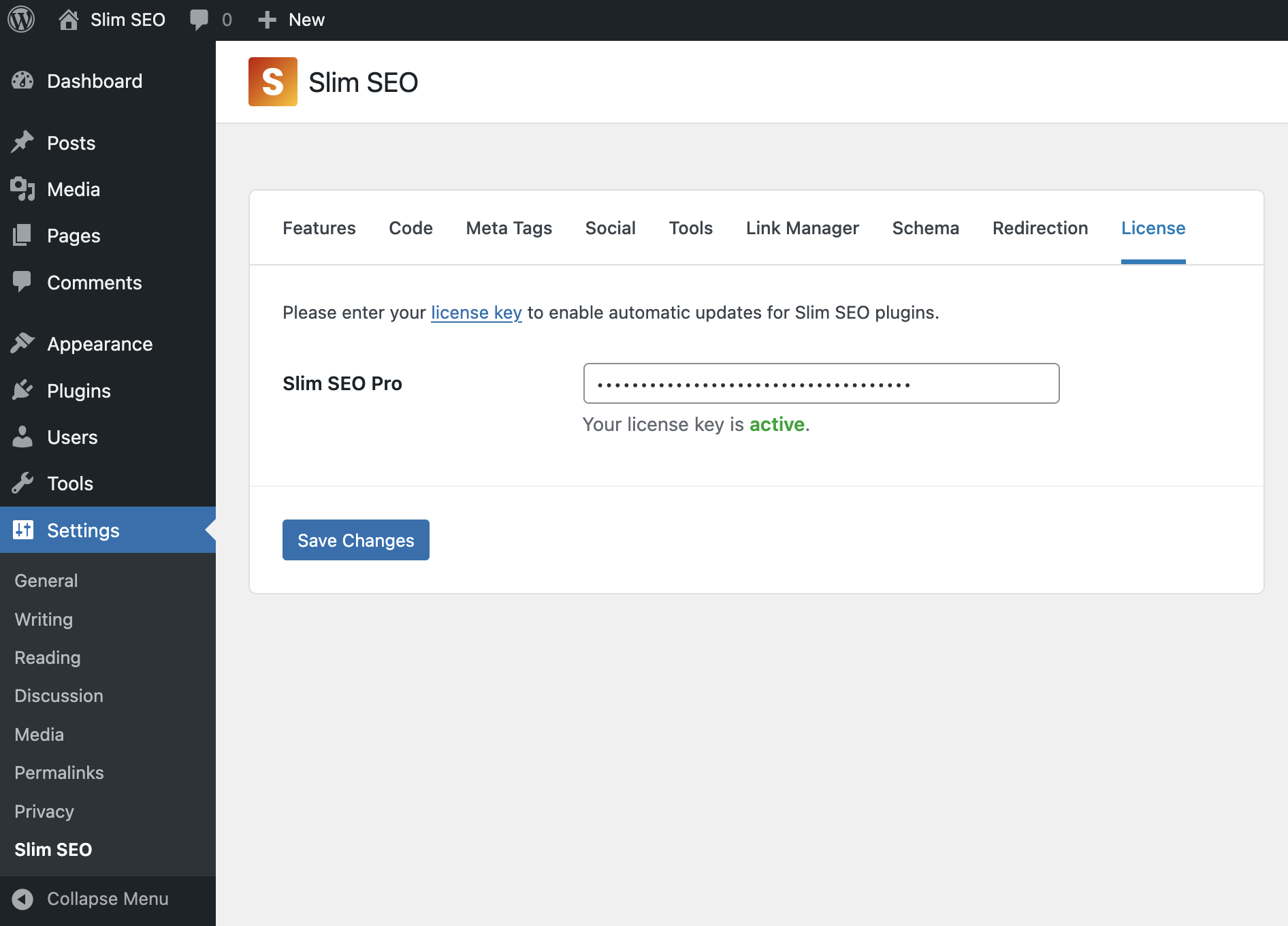
Then click Save Changes to validate the license key. If your license key is valid and your license is active, you can start using the pro features like schema or link manager. Otherwise, you will see a notification in the admin area to update the license key.
FAQs
What happens if my license expires?
- You will not receive any updates or bug fixes from us.
- You cannot access our support.
- All premium features will be disabled:
- You cannot add or edit schemas in the admin.
- The existing schemas that you set up for your site will not be outputted in the front end.
- You cannot see any reports for links and search performance in the admin or when editing a post.
- You cannot get suggestions to improve writing or build links.
Can I define the license key in wp-config.php?
Yes, you can. Define your license key as follows:
define( 'SLIM_SEO_PRO_KEY', 'your license key here' );
In this case, the plugin will not save the license key in the database and will hide it from all eyes.