AI Integration
Overview
Slim SEO includes an AI integration feature that automatically generates SEO-friendly meta titles and meta descriptions. This feature helps you create optimized meta tags without manual writing, saving time while improving your content's search engine visibility.
The AI integration lets you select a popular AI provider - Anthropic (Claude), Google (Gemini), OpenAI (GPT), or OpenRouter - and a model to analyze your content and generate meta tags that are:
- Optimized for search engines
- Written in the same language as your content
- Following SEO best practices
- Natural and engaging
Requirements
To use the AI integration feature, you must have an account with billing set up for one of the following providers:
- Anthropic (Claude)
- Google (Gemini)
- OpenAI (GPT)
- OpenRouter
Then, create an API key to use with Slim SEO.
Setting up the API key
- Go to Settings → Slim SEO → Tools in your WordPress admin.
- Select an AI provider, then a model, and enter the API key for that provider.
- Click Save Changes.
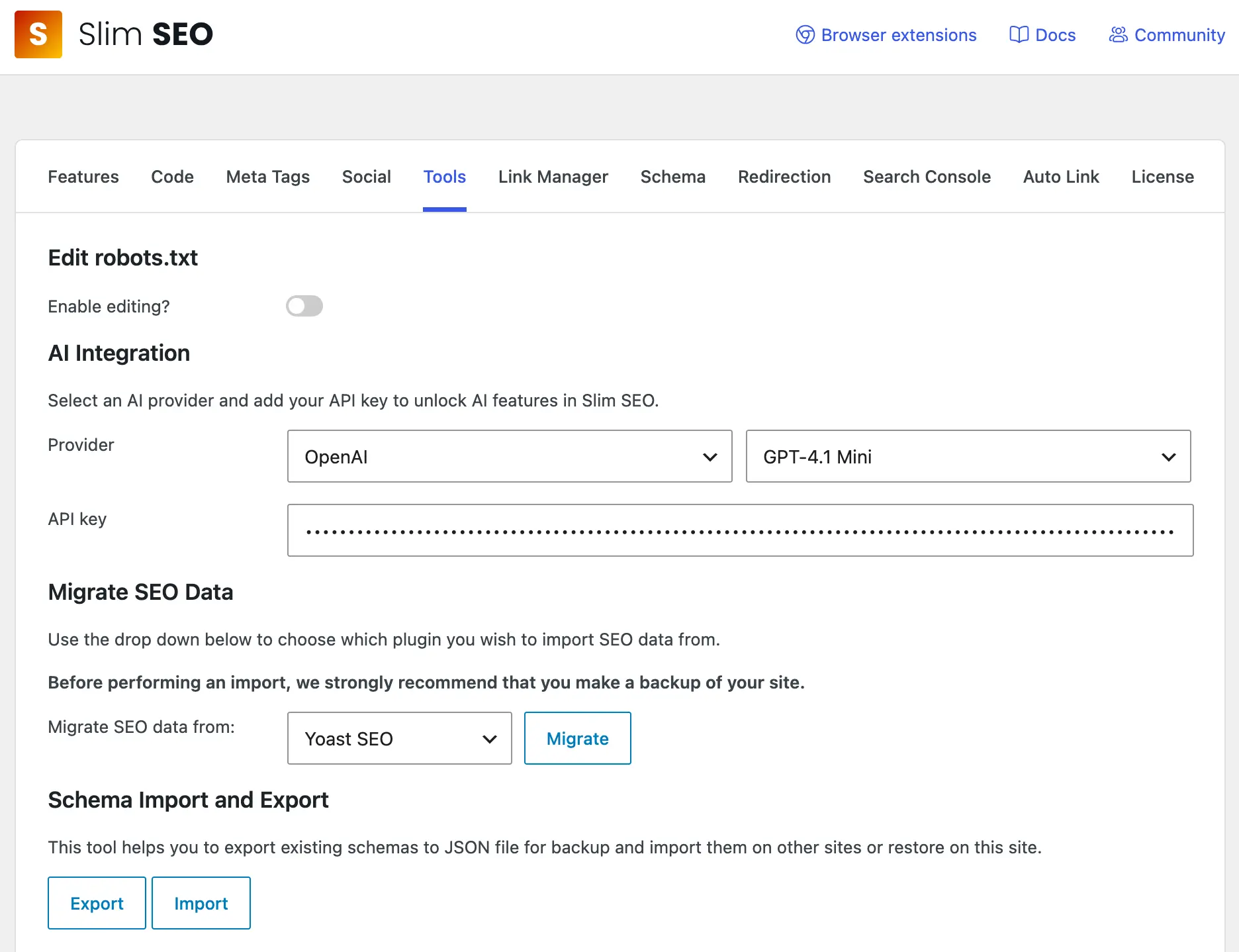
Once you enter an API key, the AI feature is automatically enabled. There is no separate "Enable AI" checkbox - the feature activates when an API key is present and deactivates when the key is removed.
Generating meta titles
- Edit a post or term.
- Scroll to the Meta title field in the Search Engine Optimization meta box.
- Click the Generate with AI button (magic wand icon).
- The AI analyzes your post title and content (or term name and description) and generates an SEO-friendly meta title.
- The generated title appears in the field - you can edit it before saving if needed.
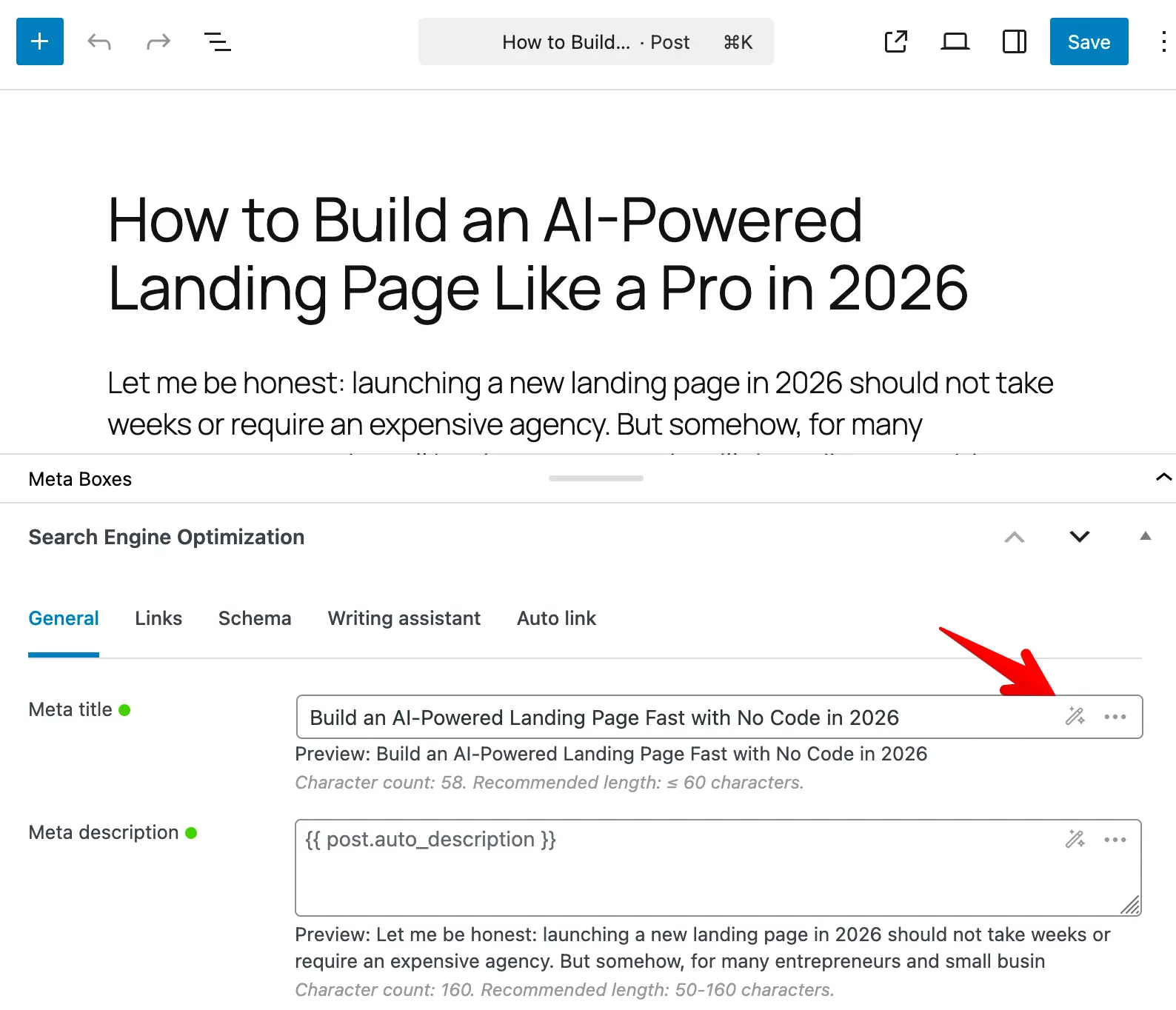
Please note that the post/term must have both a title and content/description. The generated title will be:
- Between 50-60 characters (optimal for search engines)
- In the same language as your content
- Written naturally (not clickbait)
- Free of emojis, quotation marks, and separators (|, -, :)
- Limited to information present in the title and content
- Free of keyword stuffing
Generating meta descriptions
- Edit a post or term.
- Scroll to the Meta description field in the Search Engine Optimization meta box.
- Click the Generate with AI button (magic wand icon).
- The AI analyzes your post content (or term description) and generates an SEO-friendly meta description.
- The generated description appears in the field - you can edit it before saving if needed.
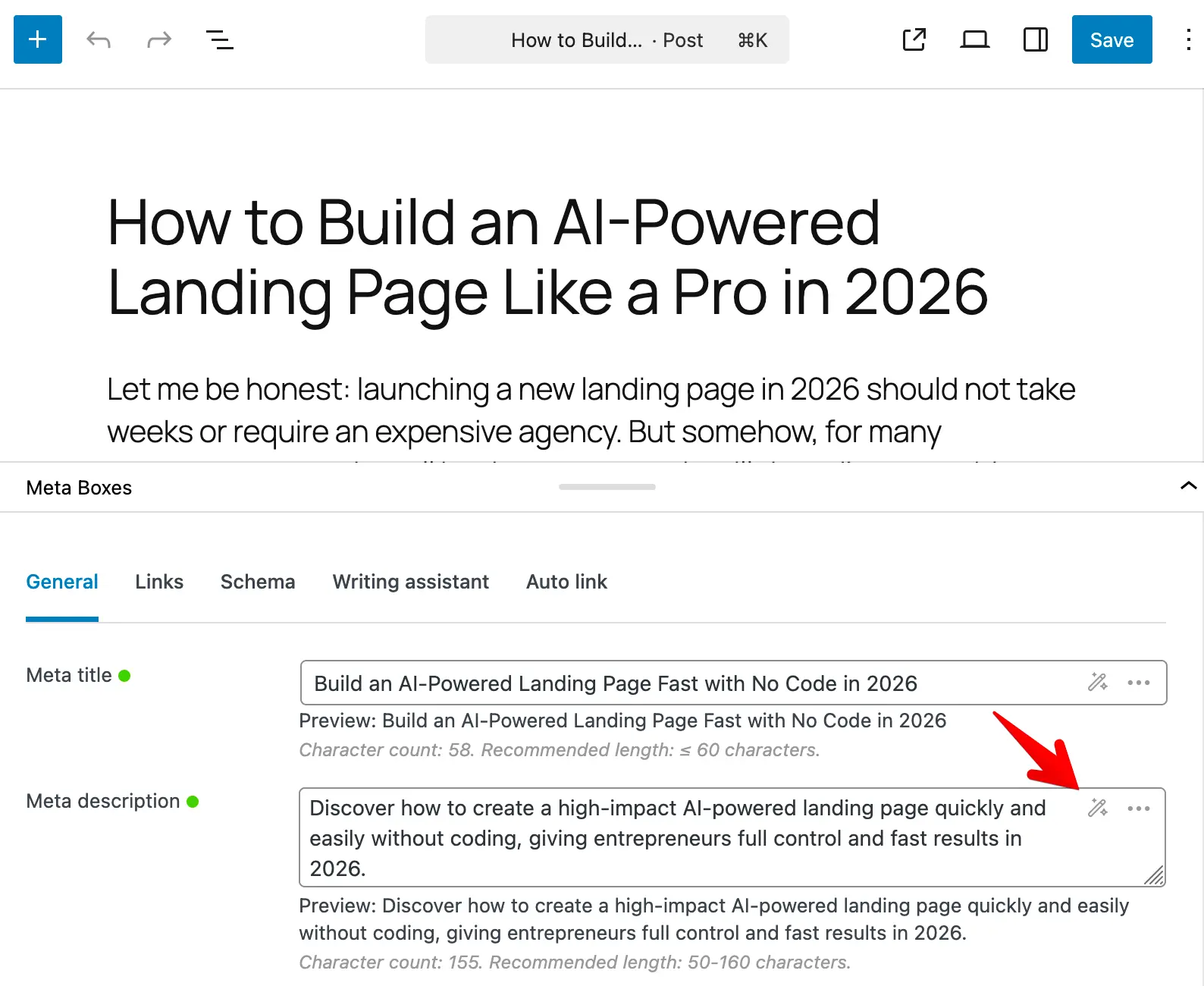
Please note that the post/term must have content/description. The generated description will be:
- Between 140–160 characters (optimal for search engines)
- In the same language as your content
- Written naturally (not clickbait)
- Free of emojis and quotation marks
- Limited to information present in the content
- Free of keyword stuffing
Regenerating meta tags
If you've already generated a meta tag using AI and want a different version:
- Click the Generate with AI button again for the same field.
- The AI generates a new version with different wording while keeping the same meaning and SEO intent.
- This is useful if you want to test different variations or need alternative phrasing.
Privacy and data
When you use the AI integration feature:
- Your post title and content are sent to the AI provider's servers
- The provider processes the data according to their privacy policy
- Slim SEO doesn't store or process your data, including the API key or the content sent between your website and the AI providers